
























Integration7 min read
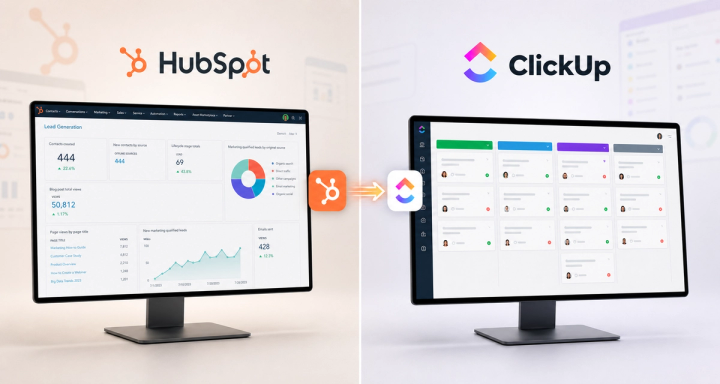
HubSpot vs ClickUp for APAC SMBs in 2026: Do You Need Both?
 20 Oct 2026 · Thana Witchawut

Work management
CRM & customer
AI platforms
Automation
Ready to scale your workflows?
Compare monday CRM, Salesforce, HubSpot and Pipedrive pricing, minimum seats and key features. See what a three-person sales team would pay.
monday CRM can cost less than paid Salesforce and HubSpot sales plans, but it is not always the cheapest choice. HubSpot has free tools, while monday CRM starts with a three-seat purchase. The right comparison is the cost of the plan that includes the features your team needs - not the lowest advertised price.
This guide compares published prices and plan features available on 23 October 2026. Prices can change by billing country, contract, promotion and tax treatment. Check the vendor’s checkout or quote before making a purchase.
Expensive doesn't always mean better. The same goes for picking the right CRM. As a growing business, you'd want value-for-money and transparent pricing plans from the CRM tools you purchase.
Otherwise, your company would be swallowed up by financial struggles and mismanagement. About 9 out of 10 startups fail because of this.
Do you want to prevent these costly missteps? Then, you'd have to invest in the monday CRM pricing plans, as this tool will grow alongside your cash flow.
According to Statista, the CRM software market will be worth USD 109.07 billion this year. By 2030, it'll reach USD 158.55 billion, up 9.80% annually.
This industry boom highlights the critical importance of scalable, budget-conscious software. Major market players like HubSpot, Salesforce, and Pipedrive are driving revenue in billions.
Amidst them, monday CRM with a USD 100 million ARR, stands as a formidable challenger. How is that possible? Well, the Basic, Standard, Pro, and Ultimate tiers balance clear pricing with functional customisation.
monday CRM charges according to the plan, number of seats and billing period you select. Its pricing page says plans start at three users. Annual subscriptions are paid upfront, even though prices are displayed as a monthly amount per seat.
That distinction matters for a one- or two-person business. The advertised per-seat rate is not necessarily the amount you can pay for a single user.
The published USD rates below are for annual billing. They exclude tax and do not include optional implementation work.
| monday CRM plan | Published rate per seat per month | Three-seat annual subscription | What to check before choosing | |
|---|---|---|---|---|
| Basic | $12 | $432 | Limits on active contacts and deals, board columns and workspaces | |
| Standard | $17 | $632 | Whether its automation allowance covers your processes | |
| Pro | $28 | $1.008 | Whether email sequences and higher usage limits justify the difference. | |
| Ultimate | Custom quote | Request a quote | Security, permissions, migration and contracted usage limits |
When comparing monday.com CRM Standard vs Pro features, the key constraint at Standard would be automation. For example, the Standard Plan only allows 250 automation and integration actions per month. However, Pro Plans unlock 25,000 actions.
The Ultimate Plan is built for complex, large-scale sales operations. Fruition, being a monday CRM implementation partner, can provide a quote for you. We'll help you navigate the monday.com CRM Enterprise pricing and secure the right plan for your organisation.
Basic is a starting point for teams that primarily need to organise leads, contacts and deals. Before choosing it, check whether its active-record and board limits leave enough room for your sales process.
Standard adds more capacity and custom automations. It is a more relevant comparison for a team that needs communications and routine handoffs to stay connected to its sales records. The question is whether its monthly automation allowance matches how often those processes will run.
Pro is worth assessing when the team needs email sequences, more capacity or substantially more automation. Do not upgrade simply because the team is growing. Identify the feature or limit that Standard cannot meet, then compare the extra subscription cost with the work it would replace.
Ultimate requires a tailored quote. It adds capabilities for larger or more tightly governed operations, but its value depends on the permissions, security, migration and support terms your organisation actually needs. monday asks teams seeking more than 40 users to request a quote; that does not establish that every such team must buy Ultimate.
Did you know that published per-seat rates only tell part of the story for most CRMs? Hidden costs can eventually lead to a high cost of ownership over time.
True software ROI will depend on the features included at each price point and the platform's scalability. CRMs shouldn't have any unexpected financial surprises either.
Here's an overview of how monday.com CRM pricing compares directly against the industry's heaviest hitters.
| Platform and plan | Published price reference | Billing and buying consideration |
|---|---|---|
| monday CRM Basic | $12 per seat/month | Annual billing; three-seat starting purchase |
| monday CRM Standard | $17 per seat/month | Annual billing; check automation allowance |
| monday CRM Pro | $28 per seat/month | Annual billing; check which advanced features you will use |
| Salesforce Starter Suite | $25 per user/month | Salesforce lists monthly or annual billing |
| Salesforce Pro Suite | $100 per user/month | Annual billing |
| HubSpot Sales Hub Free | $0 | HubSpot lists free use for up to two users |
| HubSpot Sales Hub Professional | From $90 per seat/month | Check billing terms and required onboarding |
| Pipedrive Lite | €14 per seat/month | Annual billing on the pricing page returned during this review |
Sources are the official Salesforce, HubSpot and Pipedrive pricing pages. Pipedrive displayed euros, so its rate should not be treated as a USD price or compared numerically with the USD figures without a currency conversion.
HubSpot also displays promotional offers. Confirm eligibility and renewal terms before using a promotional rate in a long-term cost comparison.
Book a complimentary 30-minute audit with a Fruition consultant. We will map your workflows, spot the automation wins and show you what the build looks like.
At the published entry rates, monday CRM Basic costs less per paid seat than Salesforce Starter Suite. That does not mean monday CRM costs less for every buyer or serves the same needs.
Salesforce Starter Suite includes sales, service and marketing capabilities. Salesforce also offers higher-priced plans with different levels of customisation, automation and related products. Compare the particular Salesforce edition and extras your team would purchase with the monday CRM plan that meets the same requirements.
For a small team focused on a configurable sales workflow, monday CRM may be the less expensive subscription. For an organisation whose requirements depend on a particular Salesforce capability or existing Salesforce systems, a lower seat price alone is not a sound reason to switch.
HubSpot’s free tools make the answer to “Which is cheaper?” straightforward for some very small teams: a suitable free plan costs less than monday CRM’s paid three-seat minimum.
The decision changes when the team needs capabilities from HubSpot’s paid sales plans. HubSpot lists Sales Hub Professional from $90 per seat per month on the pricing page reviewed here, plus required one-time Professional onboarding of $1,500. Its Enterprise page lists a separate required onboarding fee. Those requirements should not be described as fees on every HubSpot plan.
Compare the features needed for your workflow before comparing Professional with monday CRM Pro. A lower subscription price does not prove that every HubSpot feature has a direct monday CRM equivalent.
Pipedrive is another option for managing a sales pipeline. Its current pricing page also lists plans with email workflows, reporting and additional capabilities, so describing it as only a deal tracker would be inaccurate.
Pipedrive displayed euro prices during this review, while the monday CRM figures above are in USD. Choose a billing country and currency before building a cost comparison. If your team also needs project delivery or other operational workflows, check which products, add-ons or configurations each vendor requires rather than assuming those capabilities come with the base CRM plan.
Across these comparisons, monday CRM occupies a clear middle ground. Here's how:
monday CRM pricing plans do present a strong case. But don't make a decision based on pricing.
Discuss with your team to determine whether you need a quick-to-deploy CRM that can scale gradually. monday CRM should sit at a point where cost, capability, usability, and scalability intersect for your business goals.
Moving to a CRM takes more than buying licences. Your team may need to clean contact records, rebuild its pipeline, connect email or other systems, train users and decide who maintains the setup.
These are not necessarily mandatory vendor charges. Some work may be handled internally; some may require an implementation partner. Ask each vendor or partner for the same scope so that the quotes can be compared.
Usage limits also matter. A low-priced plan may be sufficient when the team uses a small number of simple automations. It may be a poor fit if the intended workflow exceeds its allowances or requires capabilities reserved for a higher tier.
Start with the work your CRM must support. Write down how leads enter the system, how deals move forward, what information managers need, and which tasks should happen automatically.
Then ask each vendor to show that workflow in the proposed plan. Record any part that requires another product, an add-on, custom configuration or manual work. Only then compare the first-year and renewal figures.
Choose monday CRM when its plan and configuration meet the workflow at a cost your team accepts. Choose a competing platform when it better fits requirements that would otherwise need substantial workarounds. Neither the cheapest seat nor the longest feature list is a substitute for that test.
Fruition is a monday.com Platinum Partner. Its monday CRM consulting service helps businesses map sales processes and implement monday.com workflows. That relationship is relevant to this comparison; assess any recommended plan against your own requirements and the vendor’s current quote.
At the published USD entry rates checked on 23 October 2026, monday CRM Basic is $12 per seat per month with annual billing, while Salesforce Starter Suite is $25 per user per month. They have different features and billing choices, so compare the specific plans and extras your team needs.
Not in every case. HubSpot lists free Sales Hub tools for up to two users, while monday CRM plans start at three paid seats. monday CRM’s published seat rates can be lower than HubSpot’s advanced paid sales plans, but the features and total purchase cost must be compared separately.
monday’s pricing FAQ says paid plans start from three users. A one- or two-person team should calculate the cost of that starting purchase and compare it with alternatives available at its actual team size.
Not when you select annual billing. monday displays an equivalent monthly rate per seat, but says annual subscriptions are paid upfront. A month-to-month option is also available at a different rate; check the total at checkout.
No. HubSpot’s Sales Hub pricing page identifies required one-time onboarding fees for Professional and Enterprise. Do not apply those fees to its free tools or assume that every HubSpot purchase has the same setup cost.
monday’s pricing page says Ultimate is the new name for its Enterprise tier. Ultimate has custom pricing, so request a quote that states the required features, user count and relevant limits.
The current monday CRM pricing page lists email sequences under Pro. Confirm the exact capability and any applicable limits against the plan shown for your billing country before purchasing.
Compare minimum seats, required features, annual payment terms, onboarding, migration, integrations, usage limits, tax and support. Put these into a first-year estimate and a separate renewal estimate so a low advertised seat rate does not obscure the full commitment.
20 Oct 2026 · Thana Witchawut13 Oct 2026 · Thana Witchawut30 Sept 2026 · Thana WitchawutBook a 30-minute call. A consultant will walk through how these ideas fit your workflows.