


























AI9 min read
Cloud Infrastructure vs Workflow Automation: How to Pick the Right AI Consultant for 2027?
 17 Nov 2026 · Josh Jebathilak

Work management
CRM & customer
AI platforms
Automation
Ready to scale your workflows?
Mac Mini vs Virtual Machine for AI agents: Which is best? Explore costs, efficiency, and deployment options.
 Ishani Dhar Chowdury
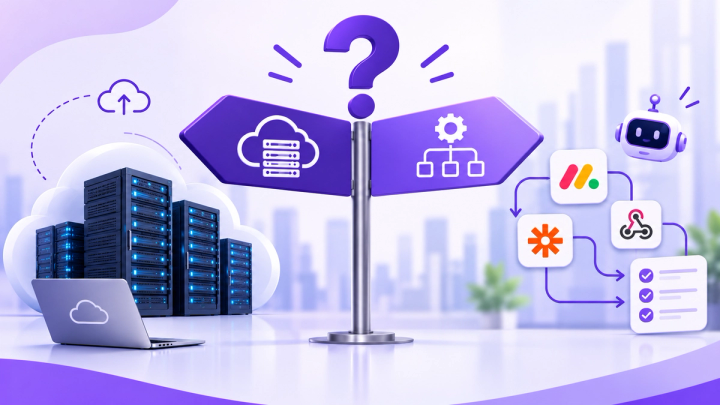
Should your AI agents run on a Mac Mini under your desk or on a cloud server? The Mac Mini vs Virtual Machine question now comes up in almost every agent project.
About 9 out of 10 organisations report regular AI use in at least one business function. AI is now scaling across the enterprise as agents move from pilots into production.
That's why picking the right infrastructure matters. In this blog post, we'll answer the Mac Mini vs Virtual Machine (VM) debate.
Where does the thinking happen? Your agent can call a hosted model through an API. Or it runs a model on your own hardware.
Here's what you need to know:
Teams often compare prices before they know the workload. Most agent setups today still route through hosted models. That's why the latter wins for the Mac Mini vs Virtual Machine debate.
Does your agent need iMessage, Apple-only APIs or Xcode workflows? Then a Mac Mini is the practical answer.
In the Mac Mini vs Virtual Machine cost debate, the break-even point depends on which VM model you compare against. A Mac Mini is a one-off purchase with small power bills. However, a VM is a monthly fee with no hardware to own.
| Option | Upfront | Ongoing |
|---|---|---|
| Cloud VM, 2 GB RAM | None | USD 12/month at DigitalOcean and AWS Lightsail |
| Cloud VM, 8 GB RAM (4 vCPU) | None | USD 48/month at DigitalOcean |
| Mac Mini M4, 16 GB | USD 899 | About 4 watts at idle |
How long until the Mac Mini pays for itself?
The lesson for Mac Mini vs Virtual Machine is simple. If a USD 12 VM does the job, hardware rarely wins on price alone.
Hidden costs on each side? Here's an overview:
For local models, Mac Mini vs Virtual Machine is mostly a memory question. On Apple Silicon, the CPU and GPU share unified memory, so a model has to fit in it.
Apple's specifications list 120 GB/s of memory bandwidth for the M4 and 273 GB/s for the M4 Pro. Token generation is largely bandwidth-bound, so the Pro feels very different with bigger models.
| Mac Mini memory | What it handles well |
|---|---|
| 16 GB (M4) | Small assistants, roughly 4B to 9B parameter models |
| 24 GB | Mid-size models of 24B to 27B if you control context length |
| 48 GB (M4 Pro) | The practical tier for serious local work |
Unified memory cannot be upgraded. So you must pick the right amount on day one. The Mac Mini can also be efficient. M4 beat a dual RTX 3090 server by 27% on LLM inference.
However, there's a limit on the other side. Cost, memory limits, and slower agentic coding performance weaken the case for replacing premium cloud subscriptions.
Where does a VM win on performance? Agents that mainly call hosted models.
The heavy compute happens at the provider, so a small VM is enough. Your job is reliable networking, not raw speed. In Mac Mini vs Virtual Machine terms, buy the Mac Mini for the model, and rent the VM for the plumbing.
Book a complimentary 30-minute audit with a Fruition consultant. We will map your workflows, spot the automation wins and show you what the build looks like.
In the Mac Mini vs Virtual Machine debate, scalability and uptime favour the VM for most teams. A VM resizes in minutes.
A Mac Mini's memory is fixed at purchase, so more headroom means buying new hardware. VM snapshots also give you a fast route back after a failure.
What goes wrong with an office machine?
What a VM gives you:
A hybrid path? Start on a cloud VM, learn your real usage, then buy the right Mac Mini. Keep a small fallback VM for failover.
On privacy, Mac Mini vs Virtual Machine comes down to control vs convenience. The former keeps data on your premises. However, the latter puts it in a provider's data centre, under a contract you control.
Security is not a given on either side. About 51% of respondents had experienced at least one negative consequence from AI. Cybersecurity concerns and compliance issues were among the reported problems.
You can harden a VM by:
Hardening a Mac Mini? The main risk is discipline, not hackers. 13Labs reports that developer Simon Willison avoids a home server because he might fall behind on updates. His mitigation is Tailscale, which exposes no ports to the internet. The same idea works for any office machine.
What about compliance? Check your own obligations under GDPR, HIPAA or local privacy law with your legal adviser before you decide.
Some contracts and regulations do demand that data stays on your premises. In that case, the Mac Mini vs Virtual Machine decision is made for you.
But many teams assume they need local hosting when they do not. In Australia, for example, the OAIC's APP 8 guidance does not prohibit storing personal information overseas. It requires reasonable steps, typically a contract, and you stay accountable.
| Your situation | Better fit | Why |
|---|---|---|
| Agent mainly calls hosted model APIs | VM | Little compute needed, and the provider handles power and networking |
| Still testing the idea | VM | No upfront cost, easy to cancel |
| Needs 99.9%+ uptime or webhooks | VM | No power, NAT or patching worries at the office |
| Needs iMessage, Apple APIs or Xcode | Mac Mini | These need macOS |
| Runs local models around the clock | Mac Mini (48 GB M4 Pro or above) | Unified memory fits larger models |
| Data must stay on premises by contract or policy | Mac Mini | Full physical control |
| Heavy, steady use with 10+ concurrent sessions | Mac Mini, with a small VM as backup | Cloud costs multiply as sessions grow, per ClawKit |
| Not sure yet | Start on a VM | Learn real usage first, then decide |
One caution before you buy. McKinsey shows smaller organisations scaling agents more slowly than large ones (22% vs 40%). If you are still piloting, flexible hosting is the safer side.
For most teams, Mac Mini vs Virtual Machine has a clear default. If your agents call hosted models, start on a VM. It is cheap, flexible, and someone else keeps the power on.
Choose the Mac Mini when you need macOS. Run local models around the clock. Otherwise, you must keep data on site. Then budget for memory, a UPS and a patching routine. Keep a small VM as a fallback.
Begin with workload, not hardware.
Only in some cases. A Mac Mini suits local models, macOS-only features and on-site data. A VM suits agents that call hosted model APIs.
Yes, if the model fits in unified memory. Sources suggest 48 GB on an M4 Pro as the practical tier for serious local work.
Usually at first. A 2 GB VM costs about US$12 a month, while a Mac mini pays back in 13 months to several years, depending on the VM you compare.
A UPS, possibly a static IP, setup time and your own patching. Model API bills apply on both sides.
17 Nov 2026 · Josh Jebathilak16 Nov 2026 · Josh Jebathilak30 Oct 2026 · Josh JebathilakBook a 30-minute call. A consultant will walk through how these ideas fit your workflows.